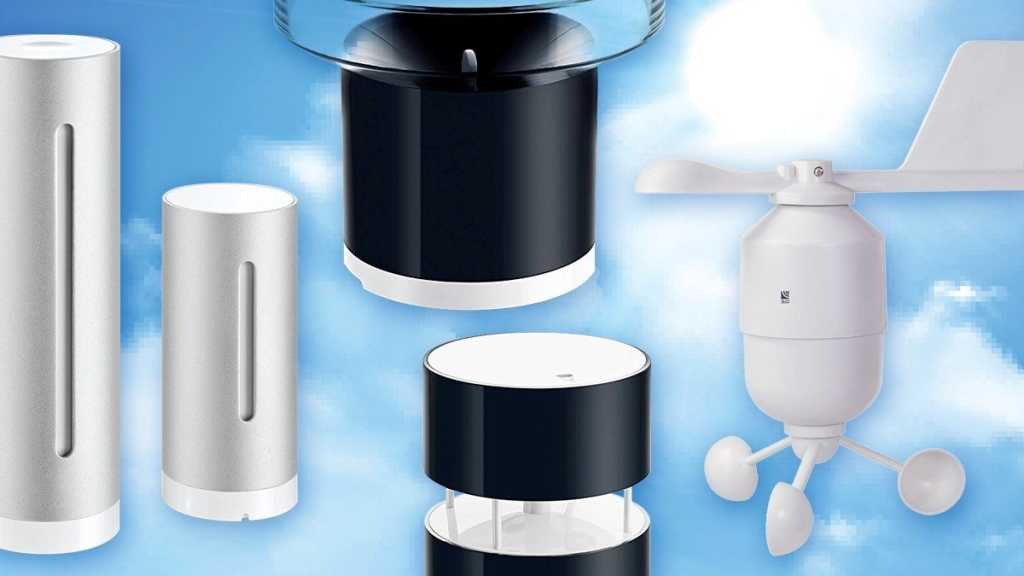

A personal weather station gives you accurate, localized conditions at your property — more useful than regional forecasts or smartphone apps that may not reflect microclimates. Whether you’re a hobbyist, severe-weather watcher, or just want smarter home automations, a good station measures what’s actually happening in your yard.
Why trust these reviews
We’ve been testing home weather stations since 2016, from budget models to pro-grade gear. We judge accuracy, sensor design, build quality, app and cloud services, smart-home integration, and how easy a system is to expand. Our top picks deliver consistent readings and can trigger automations — for example, pausing irrigation when rain is detected or adjusting lights during heavy cloud cover.
Updated November 12, 2024: We added our review of the Ambient Weather WS-4000, which is now our top recommendation in that category.
Top picks
Ambient Weather WS-4000 — Best for most people
Pros: Accurate temperature, humidity, and wind readings; compact, reliable design; includes a dedicated indoor console.
Cons: Uses a nonstandard 1.0-inch mast; the haptic rain sensor isn’t more precise than the WeatherFlow Tempest; overall performance is similar to the lower-cost Ecowitt Wittboy Pro.
Why it stands out: Ambient Weather’s software and network are strong, and the WS-4000 provides solid measurements plus an included indoor display that some competitors omit. It also supports Ambient’s optional add-on sensors for future expansion.
Who should buy: Casual weather fans who want dependable data, brand software, and a built-in indoor display without needing laboratory-grade rainfall accuracy. If budget is a priority, the Ecowitt Wittboy Pro offers the same basic design for less.
Price: About $374.99
WeatherFlow Tempest — Runner-up, excellent for quick setup and smart-home use
Pros: Accurate temp, humidity, and wind sensors; very quick to install; smart-home friendly (IFTTT); top-tier lightning detection.
Cons: Not expandable; haptic rain sensor can be less accurate than some other gauges.
Why it stands out: The Tempest’s all-in-one housing makes installation trivial, and it’s competitively priced for the feature set. Strong lightning detection and easy integrations make it a great choice for users in severe-weather areas or those who want rapid setup and cloud connectivity.
Who should buy: Newcomers, renters, or anyone who wants a compact, easy-to-install station with solid lightning monitoring and straightforward smart-home hooks.
Price: Around $349
KestrelMet 6000 — Best for enthusiasts
Pros: Professional-level accuracy; straightforward setup; polished app and web portal.
Cons: Significantly more expensive than most consumer systems.
Why it stands out: The KestrelMet 6000 delivers high-precision sensing and a refined software experience. We often use it as a reference when checking other stations.
Who should buy: Devoted weather hobbyists or users who need top consumer accuracy and are prepared to pay for it.
Price: Around $999
How we test home weather stations
We run each station for at least 30 days across varied conditions. Readings are compared to a local National Weather Service observation site (3.7 miles away) and to other stations at our test location to account for microclimate differences. We also rate app quality, installation ease, smart-home integration, and perceived durability. While a 30-day trial can’t prove decade-long reliability, our years of experience help predict how units hold up outdoors.
What to consider when buying
Accuracy: The most important factor. Check both manufacturer specs and real-world reviews. Mid- and high-end stations usually fall within about 5% of true values; cheaper units can be off by 10–15% on some measures like humidity.
Power: battery or solar: Most modern stations transmit wirelessly and run on batteries, solar, or a combination. Higher-tier models with solar are often effectively maintenance-free in sunny locations.
Durability: Sensors and housings take constant exposure. Lower-quality plastics degrade; “all-in-one” housings can force a full replacement if one sensor fails. Prefer proven sensor designs and sturdy enclosures.
Expandability: If you may add soil moisture, extra outdoor thermometers, or other probes later, choose a system that supports add-ons rather than a fixed, non-expandable unit.
Smart-home support: Look for the automations you need — Alexa/Google skill support, cloud-to-cloud integrations, or IFTTT. Useful automations include stopping irrigation when rain is detected or adjusting smart shades for strong winds.
Sensor placement basics
Placement critically affects accuracy:
– Temperature and humidity: Mount sensors in a shaded, grassy spot about 4–6 feet above ground, away from concrete, driveways, HVAC units, or sun-warmed walls.
– Rain gauge: Place clear of obstructions and splash sources; avoid eaves and walls. The NWS recommends a distance from obstructions roughly equal to the obstruction’s height when possible.
– Wind (anemometer): Higher is better and clear of obstructions. Official stations use 33 feet; for home use try to position the anemometer at least 10 feet above nearby obstructions. Follow the manufacturer’s instructions for vane orientation so direction readings are accurate.
Other stations we’ve reviewed
If the above picks aren’t a match, these models are worth considering:
– Acurite Atlas — Strong budget option when it was Editors’ Choice (2018).
– AcuRite 5-in-1 Weather Environment System — Good value entry model.
– Ambient Weather WS-2902 — Affordable with smart-home features.
– Davis Weatherlink Console — Premium display solution for Davis systems (costly).
– Davis Vantage Vue — Reliable, professional-quality Davis station.
– Netatmo Weather Station — Good smart-home integration and modular add-ons for wind and rain.
Final notes
Price doesn’t always equal value: very inexpensive stations often underperform on humidity, wind, and rainfall accuracy, while the most costly units aren’t necessary for casual use. Choose the best mix of accuracy, durability, expandability, and smart-home compatibility that fits your needs and budget.
Author: Ed Oswald
Ed Oswald is a science and technology journalist based in Reading, Pennsylvania. He’s covered emerging tech for more than 20 years — including smart homes, 5G, AI, and 3D printing — and his work has appeared in TechHive, PCWorld, Digital Trends, and Popular Mechanics. Ed studied meteorology at Millersville University and runs the weather gadget review site The Weather Station Experts.