
New gear can perform flawlessly in a store but buzz, hum, hiss, or TV banding show up at home. Stores have different wiring and layouts; your home environment can introduce ground loops, dirty AC, bad cables, RF, or defective components. Below are common causes and practical fixes so you can diagnose and eliminate most problems.
Ground loops
– What they are: A ground loop occurs when multiple devices share AC power from different outlets but are also connected by shielded signal cables (RCA, HDMI, component, coax). The connected chassis and cable shields create a loop that picks up induced currents, producing audible hum, buzz, or picture banding.
– Quick fix: Plug all interconnected equipment into the same AC outlet or the same power strip/surge protector so there’s only one ground path.
– If one outlet isn’t reachable: Do not use three-prong-to-two-prong adapters (they defeat safety ground and create shock risks). Instead use a purpose-built ground-loop isolator or hum eliminator (examples: Ebtech Hum X for audio, or inexpensive audio/coax isolators). You can also run an extension to put everything on the same circuit.
– Coax/antenna: Over-the-air antenna and cable-TV coax can introduce their own ground paths. Unplug the coax to test; if noise stops, the coax path or a device on it (splitter, cable modem) is the culprit. Use a coax ground-loop isolator or fix/replace the defective component.
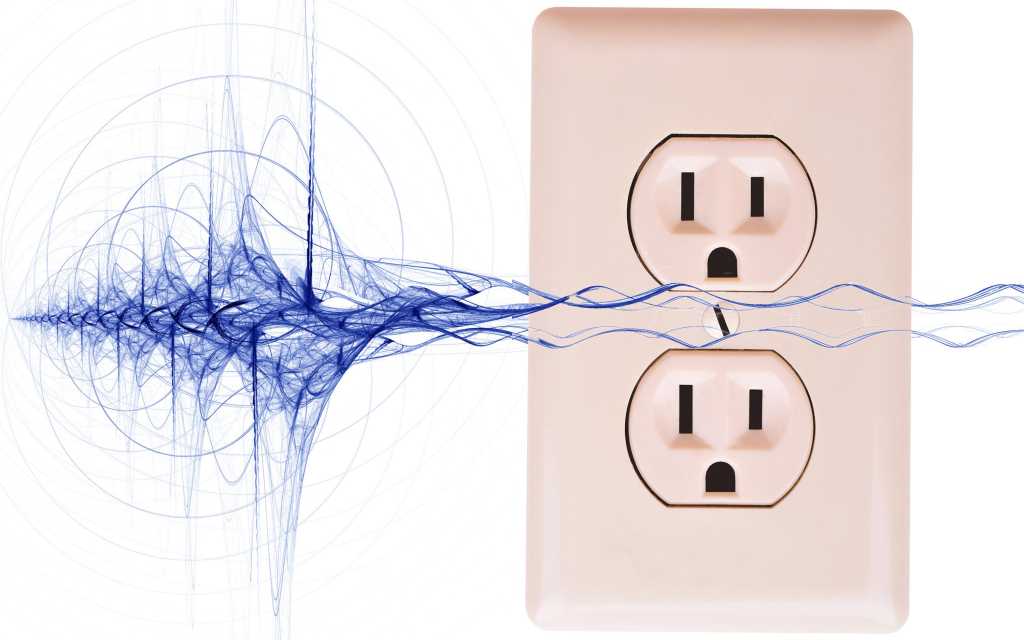
AC line noise
– Sources: Motors (vacuum cleaners), hair dryers, dimmer switches, failing fluorescent lights, and other appliances put spikes and hash onto the mains.
– Simple option: Avoid using noisy appliances while listening or watching.
– Better options:
– UPS: A line-interactive or pure-sine UPS with continuous conversion can remove much line noise while providing battery backup and surge protection.
– Isolation transformer: A shielded isolation transformer magnetically isolates your gear from mains noise without batteries; highly effective for cleaning AC.
– Cost note: Good UPS units and isolation transformers typically cost a few hundred dollars but are usually more effective than many expensive “audiophile” power strips.
Wires and cables
– Separate power and signal runs. Don’t run power cords alongside or across audio/video cables or antenna leads; induced hum can result.
– Use balanced audio cables (XLR or TRS) when possible—balanced lines reject noise and are far less susceptible to interference.
– Speaker cables carry strong signals and are less sensitive to external noise, but keep AC cords away from them.
– Avoid creating loops with twin-lead or coax; loops act like antennas and pick up interference.
– Cable quality: You don’t need boutique prices. Copper conductors with corrosion-resistant plating (gold, etc.) are fine. Good cables in the $10–$20 range are adequate for most uses.
– Microphonic cables: In high-impedance systems (turntables, guitars), poor cables can convert mechanical vibration into noise. Tap suspect cables while the system is on to hear microphony.
– Gauge: For signal cables, increasing gauge beyond standard sizes yields negligible audible benefit; heavier speaker wire can help under very heavy loads but isn’t a cure-all.
RF (radio-frequency) interference
– Poor shielding or cases that aren’t metal can let RF leak in or out. Sources include cordless phones, mobile phones, Wi‑Fi gear, wireless peripherals, and nearby transmitters.
– Reduce proximity and signal strength from these emitters near your A/V gear. Replace or move malfunctioning wireless devices that radiate strongly.
– Balanced inputs and well-shielded components resist RFI better than unbalanced, poorly shielded gear.
USB/HDMI cable noise
– Current can leak into cable shields and contaminate audio, especially with external USB audio interfaces or poorly shielded HDMI runs.
– Fixes:
– Use cables with built-in ferrite beads or add clip-on ferrite chokes to suppress high-frequency noise.
– Ground shunt: Run a low-resistance wire between device chassis (e.g., USB audio box or HDMI source) and the computer or another common ground to divert stray currents off the cable shield.
– USB filters/repeaters: Inline isolators or re-drivers can break shield-ground currents but cost more and are less often needed.
– Ferrite beads are cheap and often the first, simplest remedy.
PC audio noise
– Onboard motherboard audio commonly picks up switching and RFI from other PC components.
– Solutions: Use an external USB or Thunderbolt audio interface or a dedicated PCI/PCIe sound card. External interfaces usually offer better isolation and lower noise.
Other practical tips and safety
– Replace defective gear that injects noise (bad cable modem, splitter, or failing device).
– Never remove safety grounds. If ground isolation is required, use purpose-built ground-lift devices or isolators—not improvised adapters.
– DIY hum eliminators exist, but they require soldering and electrical knowledge. Follow all safety rules and local codes.
– If a fix only works when you touch a chassis (and you feel a shock), stop and correct the grounding problem. Don’t rely on touching things to get silence.
– Systematic troubleshooting: If noise persists, isolate components methodically—disconnect sources one at a time, swap cables, try different outlets/circuits, and test with balanced connections.
Summary
Most annoying audio and video noise comes from ground loops, dirty AC, poor cable routing or shielding, and RF pickup. Start with the simplest fixes—use one outlet for interconnected gear, rearrange cables, add ferrites—then progress to ground-loop isolators, balanced cables, UPS/isolation transformers, or replacing faulty equipment. Following these steps will remove the majority of hum, buzz, and visible artifacts.